Household finances, kept straight.
Every account, every transaction, every budget — in one place you and your partner both see. No adverts, no data brokers. Just an honest picture of where the money went and whether you're still on plan.
Sign up with an email address — or log in if you already have one.
Once you're in, you can flip the whole app onto demo data and try anything without touching your own records.
Cash & Bank
Credit
Net worth
Six-month trend
Budgets · this month
Recent transactions
| Aug 26 | Real Canadian Superstore | Groceries | −$142.18 |
| Aug 25 | SHELL | Gas & Fuel | −$68.40 |
| Aug 24 | Acme Corp Payroll | Paycheque | +$1,900.00 |
Import once, and it stays tidy
Bring in a CSV from your bank and Pesto Budget skips anything it already has. Teach it a payee once and it files that payee forever.
CSV import from any bank
Works with any bank. Drop in the file and Pesto Budget shows you its own columns — you say which is the date, the description and the amount, with a preview of exactly what will land before it does. It remembers, so that bank never asks again. Re-import an overlapping range and nothing doubles up.
Rules that categorise for you
“Payee contains Costco → Groceries.” Everything a rule touches is flagged for a quick confirm, so nothing is silently mis-filed.
Splits that actually split
One receipt, several categories — and a part-business purchase lands correctly in both your budget and your expense report.
Transfers that don't lie
Moving money between your own accounts isn't income or spending. Pesto finds the matching pairs and keeps them out of every total.
Search that means it
One box across transactions, accounts, categories, goals, budgets and rules. Commas mean “and” — shell, 60 finds exactly that.
Quick review & bulk edits
Clear a backlog one transaction at a time, or select a whole run and re-categorise it in a single go.
Automatic bank syncing
Transactions downloading themselves, so there's no file to fetch each week. It's in the works — and CSV import isn't going anywhere, it'll just stop being the only way in.
Budgets that match how you actually think
- Two levels. Cap a whole group at $1,000 for Auto & Transport, and $400 of it for fuel. The item is a sub-limit inside the group, not an extra on top.
- An “everything else” bucket catches any spending no budget covers, so nothing slips through unnoticed.
- Rollover carries what you didn't spend into next month — for the costs that arrive in lumps, not evenly.
- Suggested budgets read your real history and propose a starting figure per group, with last month and the 12-month average side by side.
- Every-dollar mode, if you want it: give every dollar of income a job and watch “to assign” fall to zero.
- Giving works the same way — a percentage of what you actually earned, or a fixed sum, and you can change either for a single month without touching the standing plan.
Budgets · March
Reports where every number is a door
Click any figure — a category slice, a budget bar, a year-over-year total — and you get exactly the transactions behind it. The list always adds up to the number you clicked.
- Net worth over 12 months, and income against spending month by month.
- Spending by category for a month or across the year, right down to what's still uncategorised.
- Year over year — this year to date against the same stretch last year, by group.
- Subscriptions found for you. Weekly through yearly, allowing for bills that vary, with everything converted to a monthly figure so the total is comparable.
- Exports for your records or your accountant.
Recurring & subscriptions
$11.58/mo
Everything else a household needs
Turn on only the parts you use — the rest stay out of the menu entirely.
Try it on made-up data
Switch the whole app over to a demo household with sixteen months of history, and poke at anything you like — delete things, redo a budget, see what a feature actually does. A red bar stays at the top the whole time, and one click puts your real data back. Nothing you do in there can reach your own records.
Accounts for your kids
Give a child their own account with their own budget, reachable from yours so you can sit beside them and help. They never see your side of it. When they're old enough, upgrade it and it becomes theirs outright — same data, no migration, and your access ends.
An overview you arrange
Pick which panels the first screen shows and what order they come in — the six-month trend, where the money went, budget progress, goals, what you're owed. Add what you use, drop what you don't.
Undo, when a budget goes wrong
Build a month's budget from what you actually spent, and it tells you plainly which existing budgets it would replace and what they'd change from and to. If it isn't what you wanted, undo puts every one of them back exactly as they were.
Warns you before you edit imported records
A transaction that came from a bank feed or a CSV is locked when you open it, with a note saying where it came from. You can still change it — you just have to mean it, so a statement doesn't quietly stop matching your books.
Goals backed by real money
Tie a goal to a savings account and progress comes from the actual balance. Spend it and the goal drops — because the money genuinely isn't there.
Giving
Give a share of what you earn or a fixed sum each month — and change it for one month without disturbing the arrangement. Worked out from real income: transfers, business income and money paid back to you never count. Untick anything else, then match what you gave to the actual expense.
Business expenses & receipts
Attach a photo or PDF to any business transaction and export an accountant-ready statement for any date range, receipts included.
Reconcile against a statement
Tick transactions off until the difference reads zero, and keep a record of when each account was last known-good.
Help built in
A searchable “?” on every screen explains what everything does, opening on the page you're already looking at.
Snap the receipt, match it later
Photograph a receipt while the cashier is still bagging. It waits in an inbox until the transaction reaches your bank, then pairs itself up — the shop, total and date read off the photo on our own server, never sent to anyone else.
Owed, in both directions
Your sister bought you a bag of flour — write it down without knowing the amount yet. Or you paid for the table and three people owe you. Both live on one page, and settle against the real transaction when the money finally moves. A promise never touches a balance or a budget, because it isn't money yet.
The whole thing on your phone
Not a cut-down companion — accounts, budgets, goals, giving, what you're owed, business expenses and reports, and a camera button that photographs a receipt onto the transaction while you're still standing at the till. Sign in from a phone and it opens there by default.
Share with your partner
Invite them by email and you keep one set of books together — the same accounts, budgets and goals, updating live on both your screens.
Tell us what's wrong
A feedback button on every screen. Reports go straight to the person who builds it, and get fixed — not filed.
The whole budget, in your pocket
Not a cut-down companion. The phone app reads and writes the same data as the desktop — every account, the full transaction list, budgets, goals, giving, what you're owed and business expenses. Change something on the sofa and it's on your laptop before you get up.
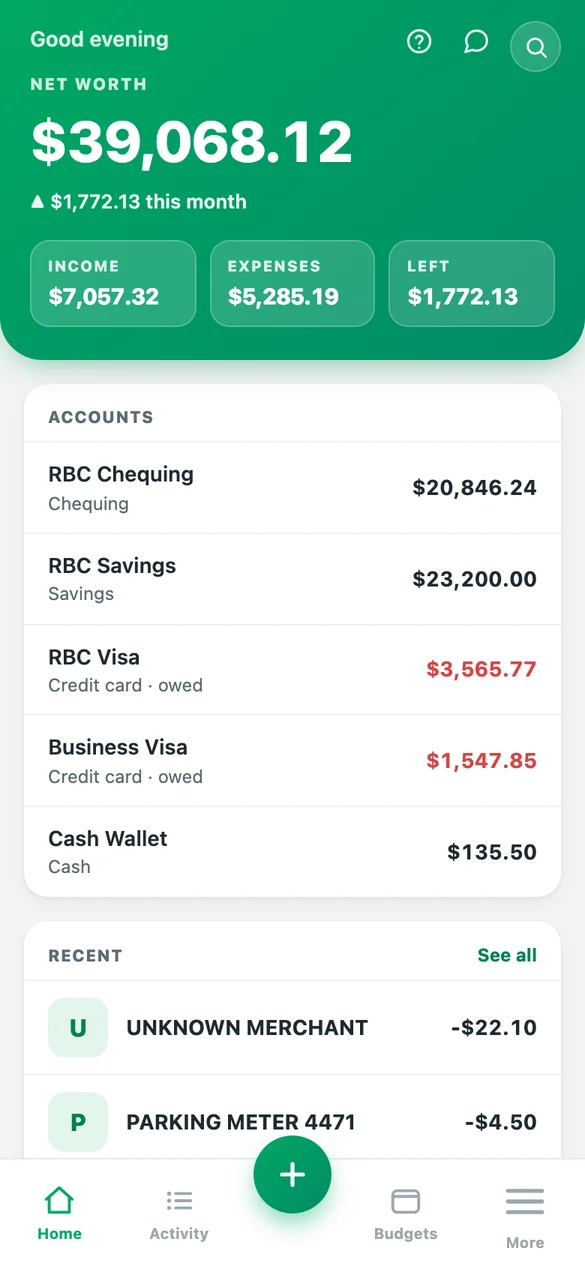
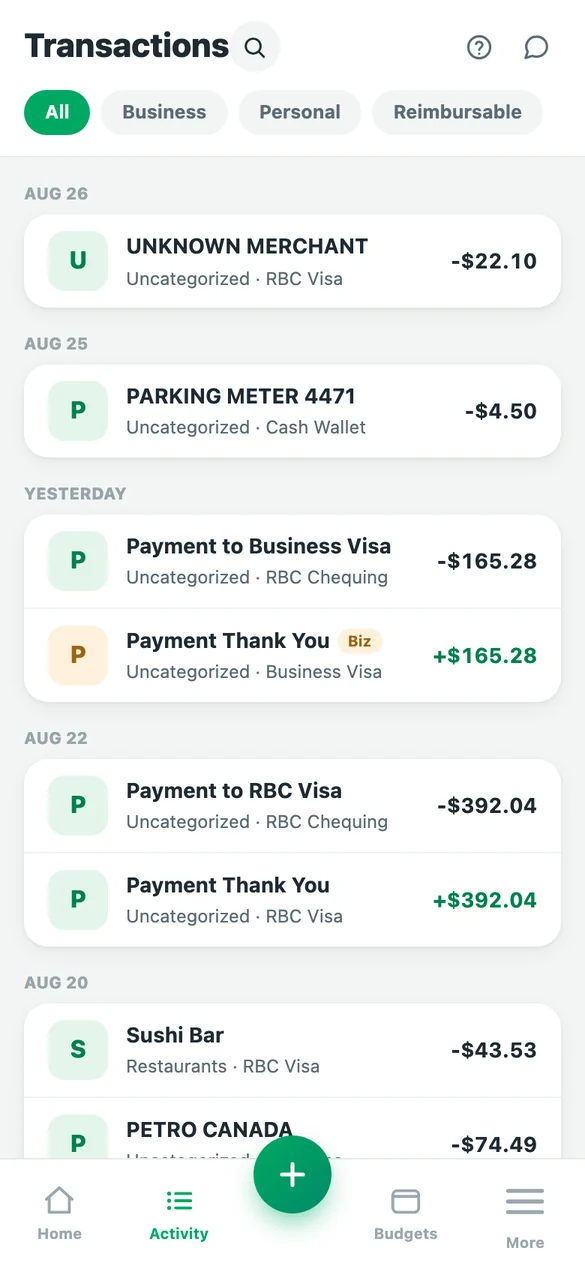
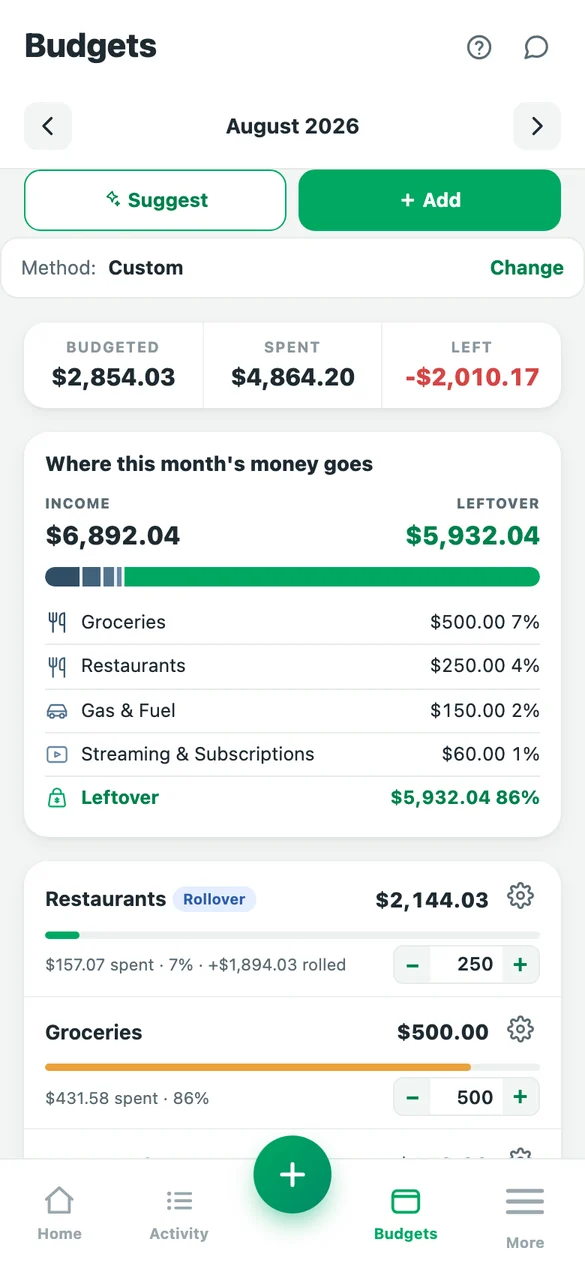
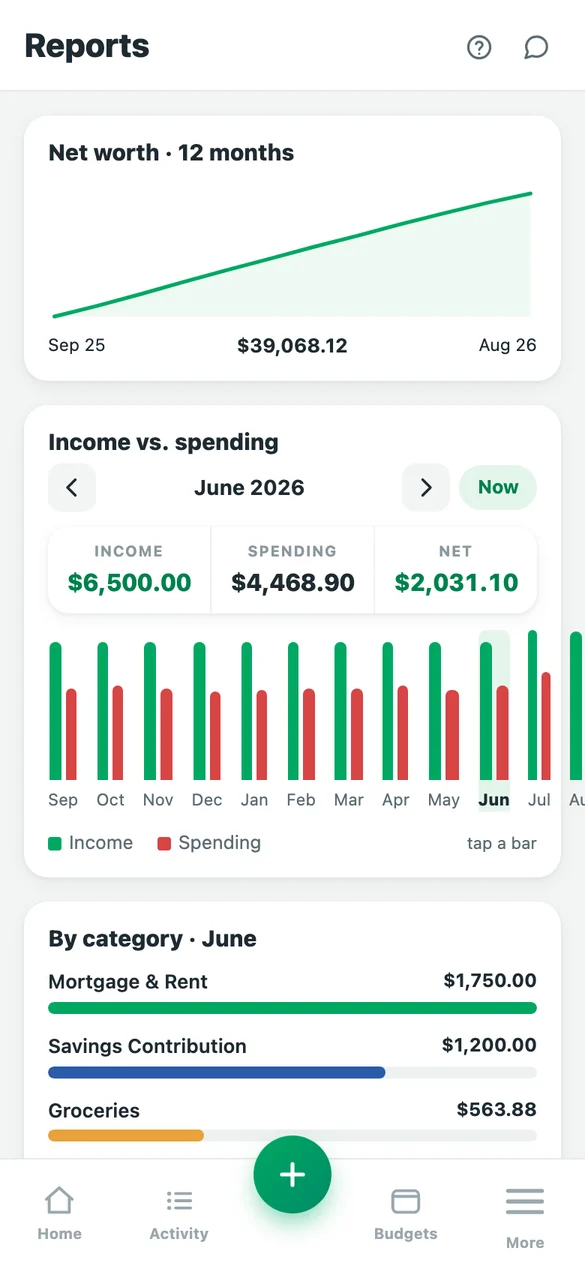
- Nothing to install. Open it in the browser, or add it to your home screen and it opens like an app.
- Pin the screens you use. Three of your choice sit either side of the + button; the rest live under More.
- Tap any total to see the transactions behind it, exactly as on the desktop.
- Photograph a receipt and it waits in the inbox until you match it to the right purchase.
- Works on the demo data too — try the whole thing on your phone before it touches your own records.
Private by default
Your transactions aren't anyone's product. There are no adverts, nothing is sold on, and there's no bank login to hand over to a third party.
AES-256 encryption
Account numbers, private notes and receipt images are encrypted with AES-256-GCM before they touch the disk. Backups are encrypted too. Everything travels over TLS 1.3.
Two-factor, your way
An authenticator app or a code emailed to you. Passwords are hashed with argon2id, and you can see and sign out every device from your account.
Separated at the database
Households are isolated by the database itself, not just by application code — so one household's records cannot be handed to another, even if a query is wrong.
Never sold, never mined
No third-party analytics, no advertising, no selling anonymised spending data. Your books are used to show you your books.
Your data, exportable
Full JSON backups and CSV exports whenever you want them. Nothing is locked in a format only we can read.
Shared only with who you invite
Nobody sees your books until you invite them by email, and you can remove them again at any time — their access ends the moment you do, and their own account is untouched. The one thing the app won't let you do is remove the last owner, so a household can never end up with nobody who can get into it.
Questions
Does it connect to my bank automatically?
Not yet — automatic syncing is coming. For now you import a CSV from your bank, and rules plus duplicate detection keep the ongoing effort to a couple of minutes a week. Once syncing lands, CSV import stays available for banks that don't support it.
Can my partner and I both use it?
Yes — that's what it's built for. Invite them by email from your account settings and you'll share one set of books, each signing in with your own account. Edits show up on each other's screens within a second or two. Invitations are tied to the address you send them to.
Does it handle business as well as personal?
Yes. Every account has a default, every transaction can override it, and a single purchase can be split part-business part-personal. Budgets only ever count personal spending, and there's a receipt-backed expense report for the business side.
What if a number looks wrong?
Click it. Every total opens the transactions behind it, and the list always sums to the figure you clicked — including showing you what was deliberately left out, if you ask it to.
Can I give a set amount instead of a percentage?
Yes. Giving can be a share of the month's income or a flat sum, whichever suits — and either can be overridden for one month on its own, for the month the bonus lands or the month things are tight. Months you haven't touched simply follow your standing plan. Transfers between your own accounts, business income and money paid back to you are never counted as income, and you can untick anything else.
Do I have to use all of it?
No. Business expenses, what you're owed, goals, reconciliation and giving can each be switched off, and they disappear from the menu. Turn one back on later and it's exactly as you left it.
How do I get my data out?
Export a full JSON backup at any time, or a CSV of every transaction. Restoring lets you pick exactly what to bring back. No request, no waiting — it's a button in your account.
How is my data protected?
Everything travels over TLS 1.3. Account numbers, private notes and receipt images are encrypted with AES-256-GCM before being written to disk, and nightly backups are encrypted too. Passwords are hashed with argon2id and two-factor authentication is available by authenticator app or emailed code. Households are separated by the database itself rather than by application code, so a mistake in a query cannot show one household another's records.
Being straight with you about the limit: amounts, dates and payees are stored as ordinary values so the app can search and total them. They're protected by access control rather than by encryption.
Know where you stand.
Create an account with an email address, invite whoever you share money with, and start from where your bank statements already are.
Create your accountAlready have one? Log in.